Why the Dream Machine Pro SE Is the Enterprise Standard
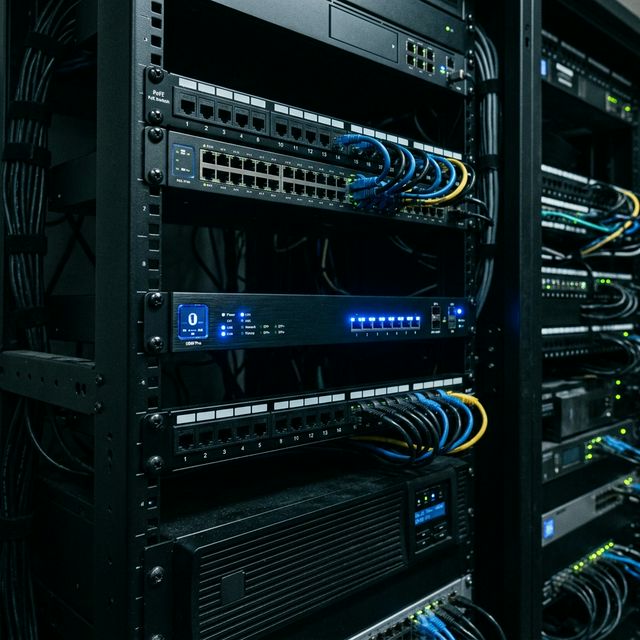
The UniFi Dream Machine Pro Special Edition (UDM-SE) consolidates what previously required multiple separate hardware devices: enterprise gateway/firewall, 10G SFP+ switching fabric, PoE switch for local APs, UniFi Network controller, UniFi Protect NVR (with 128GB internal storage), and UniFi OS console — all in a single 1U rack unit.
For enterprises, this consolidation matters because it eliminates controller licensing costs, reduces rack space, simplifies the support surface, and delivers all gateway functions through a unified management interface.
Hardware Specifications for Enterprise Context
- WAN: 2x 10G SFP+ WAN ports (dual-ISP ready from the factory)
- LAN: 8x 2.5G RJ45 PoE+ ports + 2x 10G SFP+ LAN uplinks
- Processor: Quad-core ARM @ 1.7 GHz with hardware-accelerated routing
- IPS throughput: Up to 3.5 Gbps with Threat Management enabled
- Storage: 128 GB for UniFi Protect NVR (expandable via external drives)
- Redundancy: Dual power supply bays (hot-swap capable)
Initial Enterprise Configuration Checklist
Step 1: WAN and Dual-ISP Setup
Connect your primary ISP to WAN1 and secondary ISP to WAN2. In UniFi Network under Internet settings, configure each WAN connection with the appropriate connection type (DHCP, PPPoE, or static). Enable Load Balancing or Failover under the multi-WAN settings. Configure health-check targets (use reliable public DNS servers, not your ISPs' default endpoints) to ensure accurate failover detection.
Step 2: Network and VLAN Creation
Create your
Step 5: VPN Configuration
The UDM-SE supports multiple VPN types for different use cases:
- Site-to-site IPsec: Connect remote offices to headquarters with encrypted tunnels. Traffic between sites appears as LAN traffic.
- WireGuard: Modern, high-performance VPN protocol for site-to-site and remote access. Lower overhead than IPsec, preferred for new deployments.
- OpenVPN: SSL-based VPN for client remote access. Supported across all major operating systems without vendor-specific client software.
Performance Optimization at Scale
The UDM-SE performs hardware-accelerated routing at line rate for unmanaged traffic. However, several features engage the processor more deeply:
- IPS inspection (throughput depends on ruleset complexity and traffic mix)
- Deep Packet Inspection for traffic categorization
- GeoIP blocking with large country list
For environments pushing consistently above 2 Gbps aggregate traffic with full IPS, the UDM-SE approaches its practical throughput ceiling. In these cases, either the Enterprise Fortress Gateway or dedicated traffic inspection hardware is appropriate.
Common UDM-SE Configuration Mistakes in Enterprise
- Not configuring dual-WAN health checks — failover never triggers even when ISP is actually down
- Using the UDM-SE as a DHCP server for thousands of devices — external DHCP on Windows Server or ISC DHCP is more robust at scale
- Leaving default firewall rules — the 'Guest Hotspot' and default allow rules must be reviewed and tuned
- Not configuring NTP with reliable sources — certificate validation failures cascade from incorrect time
Frequently Asked Questions
How many users can the UDM-SE support?
The UDM-SE is rated for networks with up to 500 managed devices. At 500+ clients, or in environments with complex routing, dedicated gateway hardware is recommended. For 50-300 user enterprises, the UDM-SE handles all workloads comfortably.
Can the UDM-SE replace a dedicated Palo Alto or Fortinet firewall?
For most medium enterprise environments without specific compliance requirements demanding NGFW certification, yes. The UDM-SE provides IPS, DNS filtering, application identification, VLAN segmentation, and comprehensive logging. For PCI-DSS QSA assessments or environments requiring certified NGFW hardware, a dedicated firewall may be required alongside the UDM-SE.
What is the warranty and support model for UDM-SE in enterprise?
Ubiquiti provides a 1-year limited warranty on UDM-SE hardware. Enterprise environments should maintain a cold spare unit for rapid swap in case of hardware failure. With an MSP agreement, spare management and RMA coordination are handled proactively — you never need to manage the hardware replacement process yourself.