The Subscription Problem in Enterprise Video Surveillance
If your company currently pays monthly fees for your video surveillance platform — whether for cloud storage, advanced analytics, remote access, or "AI features" — you're not unusual. Most enterprise security platforms are built on this model. It generates reliable recurring revenue for the vendors. It generates predictable recurring expense for their customers.
The industry has normalized subscription-based surveillance to the point where many IT and security managers don't question it. But when you calculate the total cost of ownership over 5–7 years (the typical lifespan of a camera installation), the subscription costs often exceed the hardware costs of the entire initial deployment — multiple times over.
UniFi Protect challenges this model at its foundation.
What UniFi Protect Is — and What It Isn't
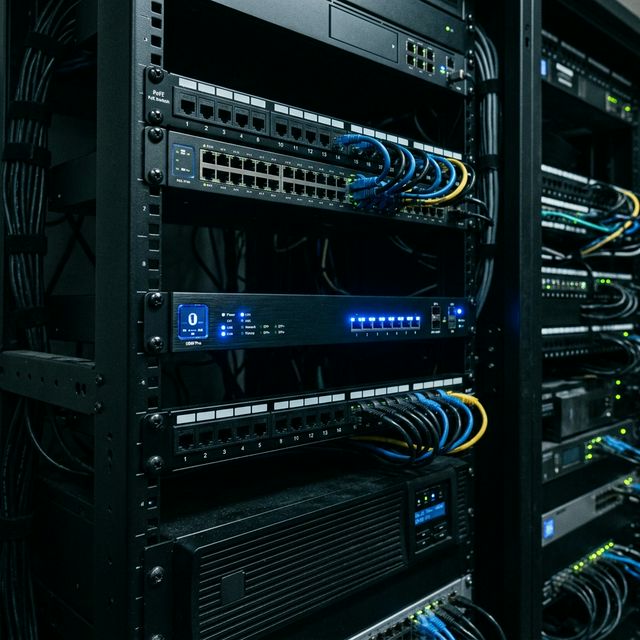
UniFi Protect is Ubiquiti's enterprise IP video surveillance platform. It runs on UniFi hardware (primarily the UniFi NVR, Dream Machine Pro, or UNVR series) and manages AI cameras, smart sensors, and access control devices within a single interface.
What it is not: a cloud-first platform. Your video data stays on your hardware, in your facility, under your control. Remote access exists and works well — but it's a feature of the platform, not a dependency for it to function.
Core Features Included With No Monthly Fee
- AI-powered detection: Person detection, vehicle detection, package detection, and motion zones are included in every camera at no additional cost
- Smart notifications: Configurable real-time alerts to mobile devices or third-party systems based on detection events
- Secure remote access: View cameras, receive alerts, and manage the system from anywhere, included with the hardware
- Local NVR storage: High-capacity local storage with configurable retention policies — no per-camera cloud storage fees
- Integration with UniFi Access: Correlate door access events with camera footage from the same timeline, in the same interface
- License plate recognition (LPR): Available on specific camera models, included
- Heatmaps and analytics: Traffic flow analysis and occupancy data for retail, hospitality, and campus environments
The AI Layer: What Enterprise Detection Actually Looks Like
The term "AI camera" is used loosely in the security industry. Many vendors apply basic motion detection algorithms and call it AI. UniFi Protect's detection capabilities are more sophisticated and practically useful in enterprise environments.
Person and Vehicle Classification
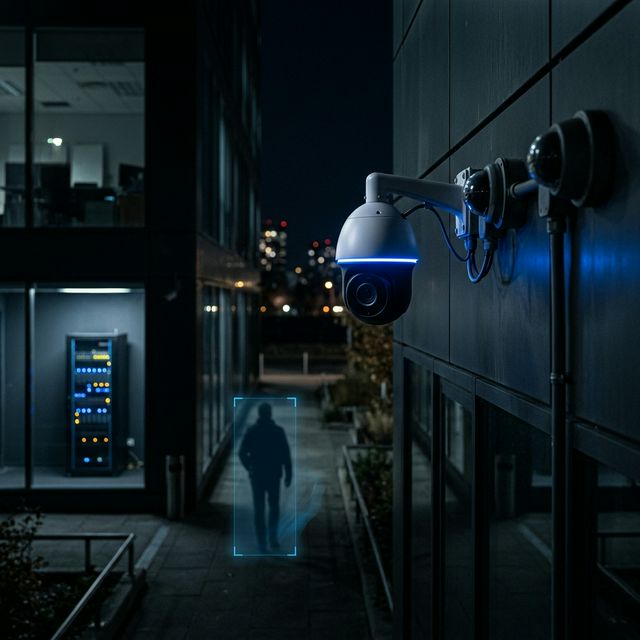
UniFi Protect cameras classify detected objects as people or vehicles in real time, at the edge (within the camera itself, not sent to cloud for processing). This means:
- You can set alerts to trigger only when a person is detected in a restricted area after hours, not when a bird flies past a camera or a curtain moves
- Search and filter recordings by event type — find every recording with a person detection between specific hours in a specific day, across your entire camera network, in seconds
- Cross-link detections with access control events to understand who was where, and when
Smart Motion Zones
Every camera allows you to define specific zones within the camera's field of view. Detections and alerts only trigger for objects entering defined zones, dramatically reducing alert fatigue — one of the primary reasons security teams disable alerts on traditional systems.
Package Detection
For retail, logistics, and hospitality environments, package detection identifies when items are left in or removed from designated areas. Combined with smart zones and timestamps, this creates an audit trail for high-value goods movement.
Hardware Options: Matching Camera to Environment
UniFi Protect cameras range from entry-level indoor domes to specialized outdoor models with extreme low-light capability and weatherproofing. Key decision points for enterprise deployments:
- G5 Pro: The workhorse outdoor camera for most enterprise applications. 4K video, motorized zoom, and excellent low-light performance. Suitable for parking lots, building perimeters, and large open spaces.
- G4 Doorbell Pro: For managed building access with visual verification. Integrates with UniFi Access for a complete entry management solution.
- AI Turret Ultra: High-resolution indoor camera with advanced AI capabilities. Strong choice for executive areas, server rooms, and access-controlled interior spaces.
- G5 Bullet: Cost-effective outdoor fixed camera for environments where PTZ capability is not required. Ideal for corridor coverage and defined exterior zones.
- G4 PTZ: Pan-tilt-zoom camera for large coverage areas where operators need manual control or automated patrol patterns. Suitable for large lobbies, warehouses, and campus outdoor areas.
The Integration Advantage: One Platform, Everything
Perhaps the most underappreciated aspect of UniFi Protect in enterprise environments is its native integration with the rest of the UniFi ecosystem. This means:
- Single management interface: Network administrators manage cameras, access points, switches, and gateways from the same UniFi OS interface. No separate security software to train on, license separately, or reconcile with your network data.
- Correlated event timelines: When a security event occurs, you can see the camera footage, the network activity, and the access control event on the same timeline. This reduces incident investigation time significantly.
- Unified notification system: Alert routing, escalation, and notification preferences managed in one place.
- Single vendor accountability: One support relationship for cameras, networking, and access control. Simpler procurement, clearer escalation path.
Data Sovereignty: Why It Matters More Than Most Security Teams Realize
In cloud-based surveillance platforms, your video footage travels to and is stored on third-party servers. This creates several risks that are increasingly relevant in enterprise and regulated industry contexts:
- Regulatory compliance: GDPR, HIPAA, and sector-specific regulations may require that surveillance data remain under specific jurisdictional or organizational control. Cloud-dependent platforms complicate this compliance story significantly.
- Breach surface: Data stored in third-party cloud environments is only as secure as that provider's posture. Local storage eliminates this risk vector entirely.
- Business continuity: If your cloud surveillance vendor has an outage or changes their pricing model, your security operations are impacted. With local storage, your cameras and footage function independently of any third party.
- Long-term access: Cloud platforms can restrict or delete footage if payment lapses or a contract dispute occurs. Local storage means your footage is yours, indefinitely, within your retention policy.
Frequently Asked Questions About UniFi Protect for Enterprise
How much storage do I need for enterprise video surveillance?
Storage requirements depend on the number of cameras, video resolution, frame rate, and compression settings. As a baseline: a single 4K camera recording continuously at standard compression requires approximately 50–100 GB per week. UniFi Protect's motion-only recording mode reduces this significantly — typically by 60–80% in normal enterprise environments. INALAMBRICA.US sizes storage solutions based on your specific camera count, resolution requirements, and required retention period.
Can UniFi Protect cameras be accessed remotely if the NVR is local?
Yes. UniFi provides encrypted remote access to your local system through the UniFi Site Manager portal. You can view live feeds, review recordings, and manage camera settings from any internet-connected device without exposing your local network directly. Your data never leaves your hardware — the remote access is a secure tunnel, not cloud storage.
What happens to footage if the NVR goes offline?
Most UniFi Protect cameras have onboard SD card support and will continue recording locally on the camera itself if the NVR connection is lost. Footage syncs back to the NVR when connectivity is restored. For mission-critical environments, INALAMBRICA.US recommends deploying redundant NVR hardware with automatic failover.
Is UniFi Protect suitable for environments with hundreds of cameras?
Yes. The UNVR Pro supports up to 128 cameras in a single deployment unit, and multiple UNVR devices can be managed from a single UniFi Site Manager interface. Enterprise deployments with 200–500+ cameras are supported through multi-NVR architectures. Performance scales linearly with NVR hardware rather than requiring expensive per-camera licensing tiers.
How does UniFi Protect compare to enterprise platforms like Milestone or Genetec?
Milestone and Genetec are mature VMS platforms with deep integration ecosystems, advanced analytics, and broad third-party camera compatibility. They are the right choice for environments with thousands of cameras, complex multi-vendor camera estates, or specialized integrations.
For enterprises deploying a new camera infrastructure in the 10–200 camera range who want AI analytics, no subscription fees, and tight integration with their network infrastructure, UniFi Protect offers a compelling total cost of ownership advantage. The right tool depends on the operational context.
Can we integrate UniFi Protect with our existing access control system?
Native integration exists within the UniFi ecosystem (UniFi Access). Integration with third-party access control systems varies — some have established API integrations with UniFi Protect, others require middleware or custom development. INALAMBRICA.US evaluates integration requirements during the pre-deployment assessment phase.